



Advertisement
Advertisement
Today, I’m thrilled to share an article from Pete McPherson—an entrepreneur who built and sold AI-created apps, raking in over $350,000 with no prior experience. In this post, he breaks down exactly how he pulled it off, plus step-by-step guidance to help you get started too. It’s a fascinating, accessible way to earn extra income!
Three years ago, I was a burnt-out content creator, torn between sticking it out and going back to a “real job.”
Since then, I’ve…
“Coded” 8 apps (all with AI—no technical skills needed)
Sold 2 software companies
Earned over $350,000+ (and that’s just from those two sales alone).
While working less than 20 hours a week…
With no developer experience(!)…
And no massive audience…
The secret?
You guessed it: A.I.
This post is the “how I did it” story–the mistakes, strategy, and “vibe coding” blueprint.
No fluff. Just value.
Let’s roll 👇
What this post will give you…
This post dives into the idea of “vibe-coding.”
We’ll cover:
What it is
Why it matters
How you can get started
And by the time you close this browser tab, I want you to walk away with three things:
Inspiration 👉 Solid PROOF that these unexpected opportunities are real and available to you
Knowledge 👉 Plenty of clear, practical teaching to help you understand exactly how it works
Confidence 👉 I’ve designed this to be as NON-TECHY as possible, and my hope is that you’ll have several “a-ha!” moments along the way.
“Woah Pete. Code? AI? Saas? Sounds techy and overwhelming…”
Good news = You do NOT need to be super techy to “use” this blog post
Bad news = There will always be new terms & tech to learn
I mean, heck…
I am NOT a trained developer. I’m a full-time content creator.
If you’ve learned WordPress or video editing software, you can do this, too.
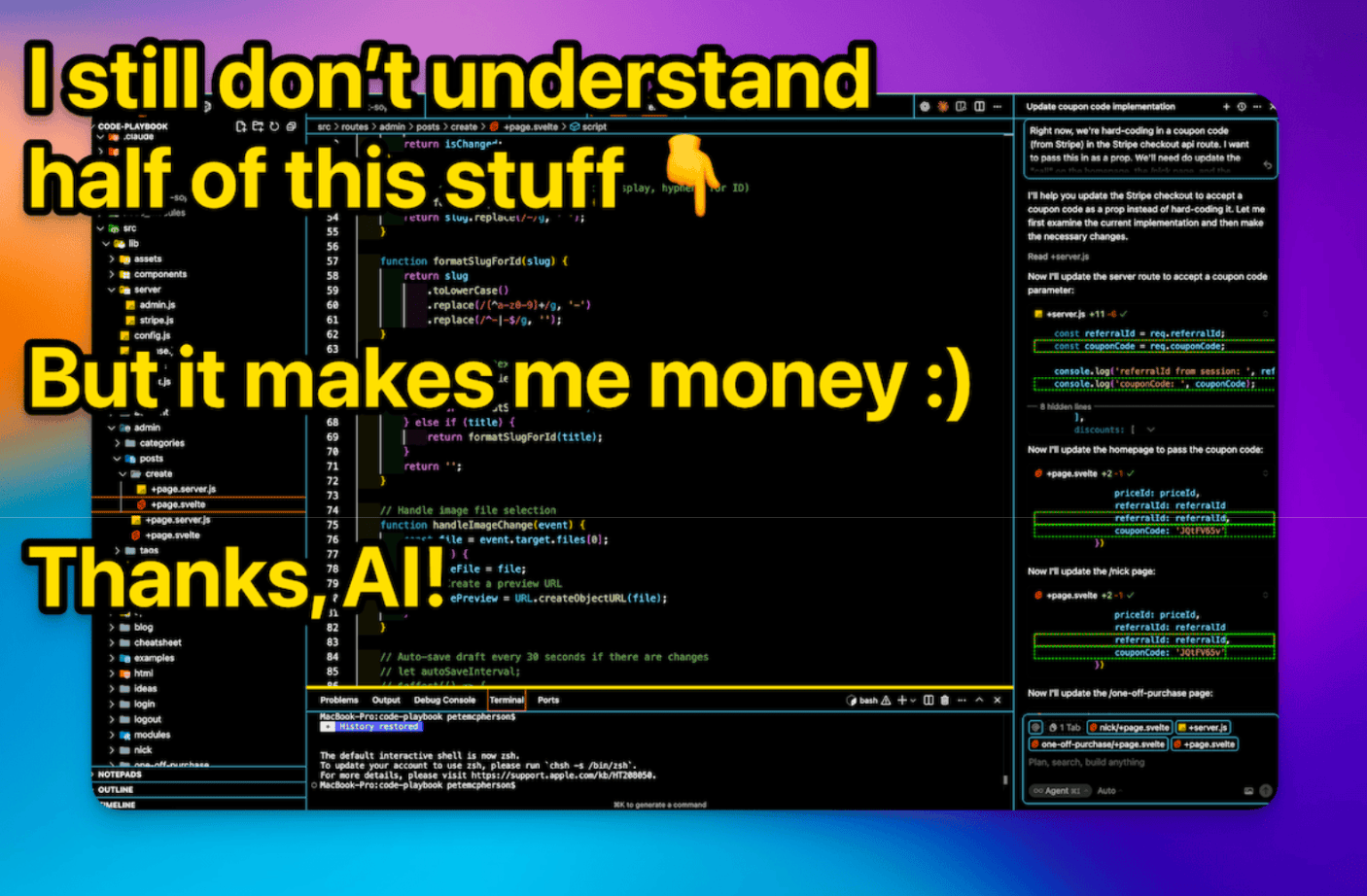
I’m going to show you how to let AI do all the hard stuff for you.
Your job?
Come up with ideas
Chat with AI
Guide the process
This post will keep things dead simple.
How I learned how to do this stuff…
Here’s my timeline:
October 2016
I quit my accounting job — after two years of hesitation and fear. I took a part-time role at a small startup to free up more time for side-hustling. Then I got laid off after just one paycheck. Oops.
June 2017
I accidentally launched Do You Even Blog by recording interviews with bloggers who were actually making money. Shoutout to Michelle! I instantly fell in love with this work.
2017 – 2021
I ran a podcast, YouTube channel, blog, online courses, and a membership site. I earned enough to live comfortably, and I still loved every part of it.
Summer 2021
Burnout and boredom hit. I started launching other businesses: more than 12 websites, 3 YouTube channels, and 2 podcasts. The variety felt good, and the extra income was even better.
December 2022
My media business was doing great. I mapped out a detailed plan for 2023. Then ChatGPT launched and changed everything.
January 2023
Panic set in. I knew AI was going to be huge, but I was scared to abandon my entire year-long plan. After a month of overthinking, I pivoted all my focus to AI.
March 2023
I watched a YouTube video showing ChatGPT writing actual code. It blew my mind. I immediately started “coding” my very first app.
June 2023
I spent three full months building that app — it was one of the hardest, most frustrating projects I’ve ever worked on. I only gained around 10 paying customers. But I launched it anyway, and I’m still proud I followed through.
August 2023
I try again. This app only takes 3 WEEKS (what?!) and it immediately grows to $1,000/month in recurring revenue.
October 2023
FABB AI (stands for Fully Autonomous Blog Bot) is making about $3k/month, but I have a health emergency and pause ALL my work.
March 2024
I build Topical Map AI in about 3 DAYS(!) to solve my own pain point. Made a few grand, then went passive.
April – November 2024
Built more small apps with AI. Took partners for Topical Map AI who promoted it. Revenue grew to $7-8k/month and it’s mostly passive for me.
December 2024
Listed FABB AI for $45,000 “just to see what happens” and it sells within 10 days. Um. What. Didn’t know I could do that.
January 2025 – Today
Following the “blueprint” full-time (it’s below!) Created Code Playbook to teach others how to do this stuff. Sold Topical Map AI after 10 months of ignoring it (whoops, but yay!). Now I ship apps part-time-ish, make money, and I’m having the time of my life.
Let’s move into “teaching mode” for a moment 👇
My exact “blueprint” for making money:
Here are my vibe-coding philosophies (built from the past 2 year of craziness):
1 – Build in Public
Always grow your personal brand outside of specific businesses! Strategies go stale and projects go away, but it’s vital to have an audience that follows you in the long-term.
“Build in public” = share behind-the-scenes. What you’re working on, lessons learned, tips & tricks, etc. This builds your authority and indirectly builds interest for your next product.
2 – The “Audience-First” Rule
I don’t build anything unless I can clearly see where my first 10-100 customers will come from.
Yes, I have my Do You Even Blog audience (a huge asset), but I also look for ways to reach new people. I like to know this BEFORE I start work on a product.
3 – The “Idea Abundance” System
Stop waiting for “big ideas” and start capturing “tiny ideas” DAILY. I keep an “idea inbox” for easy brain-dumping.
4 – Build it to Sell
I get bored easily and I don’t enjoy marketing. 2 things that make “scaling” really difficult.
So I start every project asking, “Can I sell this in 12 months?” or “Can I make this 90% passive?” If the answer is no, I don’t even start!
I learned this the hard way. I would’ve made more money if I hadn’t PAUSED both companies I sold.
5 – The big picture for each new project
My current process:
Month 1 👉 Sloppy MVP and alpha testers
Month 2 👉 Clean it up and launch the beta at a discounted price
Month 3 👉 “Kill or keep” the project. It gets obvious fast.
Month 4 👉 Create documentation and onboarding.
6 – Leverage partners
I hate marketing, so I find partners who have the audience I need!
Affiliates are good, but equity partners are SO much better. They provide more energy, audience, and even ideas. It’s a surprisingly easy pitch!
7 – Build to sell, part 2
I have learned a lot about what buyers look for:
STABLE revenue
An easy transition
An interesting brand
I build with those things in mind, first and foremost!
What is “vibe-coding?”
Vibe-coding = using AI to code.
It’s not about programming languages, frameworks, syntax, and highly technical stuff…
It’s about…
Having an idea
Chatting with an AI about it (hence the ‘vibe’)
Letting the AI do all the HARD work (i.e. the actual coding)
Going back and forth until it works 💪
You have ideas and manage. AI writes code.
You vibe code back and forth until it WORKS.
The tools I use & recommend
First, an important point: the tools matter less than MOMENTUM.
There are new AI coding tools released every day, and you should ignore 99% of that.
You’ll really only need 3 things:
A laptop
An AI code editor
A host
An AI code editor
You might see these called “IDEs,” by the way.
All the big options have AI baked right in!
I have tried them all, and I recommend using Cursor.
If you’re going to pay for ANY tool to vibe-code, it’s Cursor, but you can also start on the free plan!
What about Bolt & Lovable and all these “does everything for you” tools?
I do NOT recommend them.
It might be easier to get started, but you get less control, more bugs, and more headache in the long-term. Skip them!
A host
Just like you need a host for your WordPress website, you need a host for your app website.
Use Vercel.
The best free tier, easy GitHub connect, fast deploys, etc. Done.
VIBE-CODING PRO TIP:
The “best tool” is the one you’ll actually open and USE. Reduce friction. Use Cursor or Windsurf. Build stuff daily.
“Pete, what about programming languages? Frameworks? Databases?!”
Who cares?
Let the more techy developers argue about Python vs Javascript vs Deno vs Bun vs PostgreSQL.
Your customers don’t care, as long as your app works.
Ask ChatGPT to recommend a “simple, beginner-friendly stack,” after you describe what you want (see below).
Or–you could use my pre-made “kit.”
It’s like buying a cake mix instead of baking from scratch 🎂
This is the “tech stack” I use for every single project:
SvelteKit – Web-app framework. Uses Svelte + JavaScript (AI knows it well).
Firebase – Your “backend as a service” aka your database
Tailwind CSS – How you style your app. AI knows this well!
Stripe – For getting that money 💸
AI can set 95% of this up FOR you!
And for the 5% it can’t, it can walk you through it.
How to vibe-code your first app, step by step
Here’s the 30,000-foot overview of the process I use for every app I build.
1 – Set up your computer
There’s one manual thing to do before you vibe code–setting up your computer!
It’s like connecting your Super Nintendo console to your TV before you can play.
You only have to do this once.
AND…AI can walk you through it step-by-step
Find the “terminal” on your computer (Google can show you how!)
Install Cursor
Install both Node.js and npm (AI can do this)
Sign up for a free GitHub account
2 – Ask AI to set up your app (with a starter template)
First, I recommend chatting with ChatGPT/Claude about your project…
Explain the idea
Explain any features you want
Explain–everything
Ask it for feedback–as well as what “framework” or “tech stack” you should use.
Then you’ll prompt AI (in Cursor) to set it up!
(Optional) Locate the documentation for your app framework (SvelteKit is here, for example) Copy/Paste the URL for the documentation to your AI
Prompt AI to set up a new project (give it your details, like the name, etc.)
Troubleshoot errors with AI
Get your project running “locally” (on your computer) and test it with the funny URL that your AI gives you.
This proves your local setup is working!
VIBE-CODING PRO TIP:
Even seasoned developers get errors CONSTANTLY! That’s the job. Build, fail, fix, repeat. Don’t be discouraged when you get errors. It happens all the time in the coding world! Plus, AI is great at fixing errors.
Technically, you built an app! Congrats!
Now let’s deploy it to the internet.
3 – Deploy it to the internet
“Deploy” just means “connect to a host, who serves your app to website visitors.”
Create a free Vercel account
“Commit” your code in git (AI can do this for you)
Create a “remote repository” in your GitHub dashboard, then copy/paste the code snippet back in your terminal–this will upload your code to GitHub
In Vercel, create a new project and “connect” it to your new GitHub repo
(Optional) Add a custom domain name in the Vercel project settings!
If all goes well–your app is now live on the internet!!
If it doesn’t go well, chat with AI about it 🤷♂️
4 – Build features with the “AI Coding Loop”
Now you’re ready to build YOUR thing.
Below is my process of coding anything.
Start with the boring features first (header, footer, login and logout) OR start with whatever you’re excited about building (to keep momentum)!
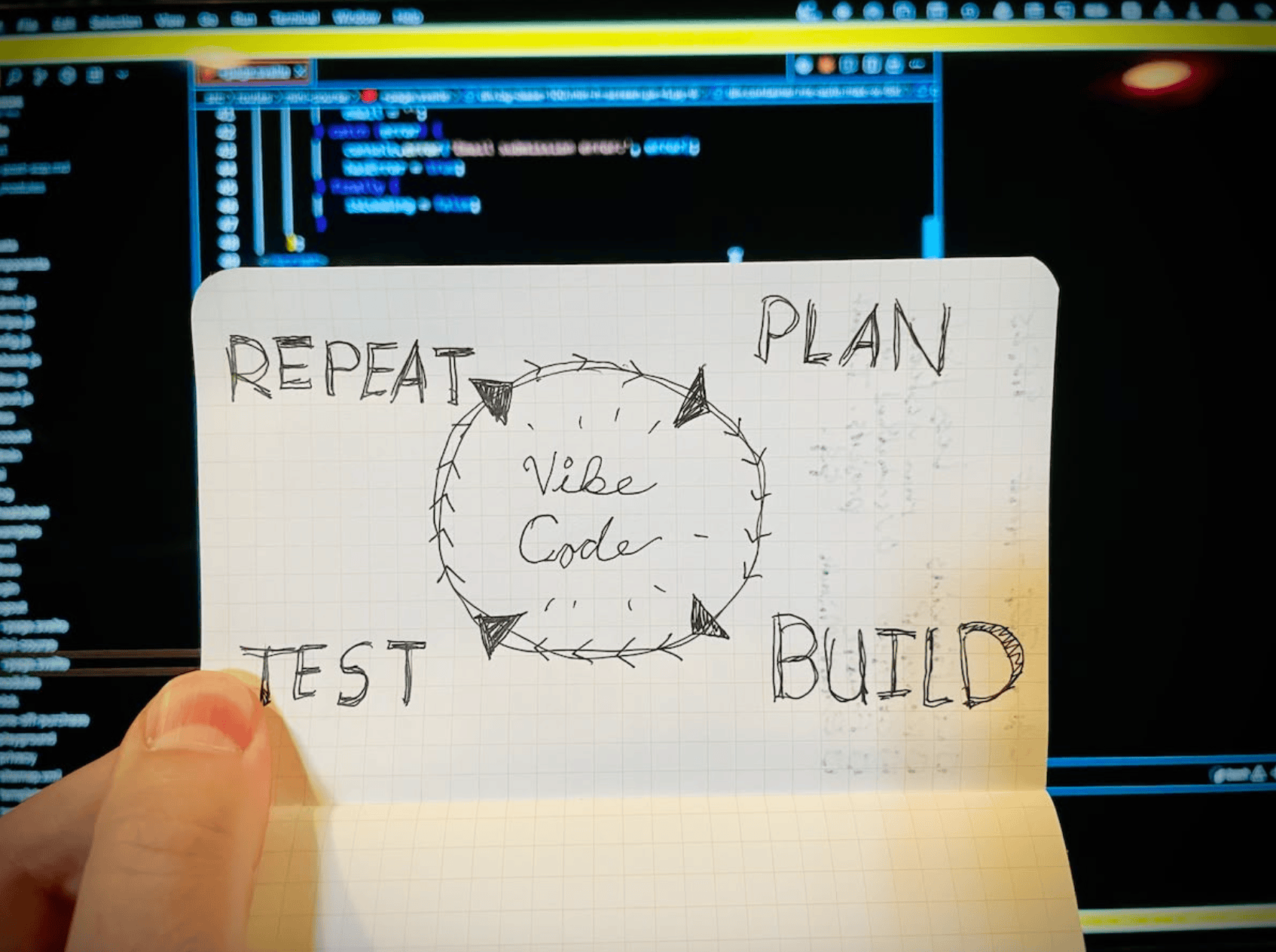
The "AI Coding Loop," Explained
This is the core of vibe-coding—a simple, repeatable process that lets non-technical builders turn ideas into functional apps with AI as your co-pilot.
1 – Plan
Chat with your AI before writing a single line of code to refine your vision.
Brainstorm freely: What’s the core idea? How should it look/feel?
Narrow down to 2–3 key features (start small, ship fast).
Share as much context as possible (e.g., “I want a budget tracker with expense categorization and a monthly report dashboard”).
Ask the AI to draft a step-by-step implementation plan.
Iterate back and forth until the plan aligns with your goals and feels doable.
2 – Implement
Hand the plan to your AI and ask it to build the app.
Sit back, relax, and grab a coffee—AI handles the heavy lifting (actual coding, syntax, and structure).
The AI will generate functional code, fix errors, and adjust based on your feedback.
3 – Test It
Put your app to use like a real user.
Test every feature, try to “break” it (e.g., broken links, missing data, confusing flows).
Note bugs, glitches, or areas that feel clunky.
Share feedback with the AI, and it will refine the code to fix issues.
Repeat the Plan → Implement → Test loop as needed until your app is polished and ready to launch!
4 – Repeat
A feature is working with no errors?
You did it!
Save your work (using Git. You’ll want to watch 15 mins of YouTube videos. Or AI can do it for you 🤪)
Do a little dance
Move on to the next thing
Boom!
The marketing strategies I’ve found most effective
Honestly, this could be its own article (or three)…
On one hand, you can market a Saas like any digital or physical product.
On the other hand, there are a few strategies that are uniquely effective for apps.
1 – Personal audience (duh)
Ok, this isn’t unique, but it’s SO important.
Build a personal brand that can follow you for the long-term!
If you already have an audience, fantastic!
If not, start today with your existing social media channels and an email list.
Share behind-the-scenes. Lessons learned. Even a small following can kickstart early traction.
2 – Partners (Equity and everything)
I hate marketing, so this has been my go-to strategy.
Find somebody who has your target audience, and convince them to partner with you.
This “pitch” is hard for most digital products, but surprisingly easier for Saas:
I build the app, provide support, and run everything (i.e. 97% of the work)
YOU promote it whenever the opportunity arises
We split monthly profits 50/50, and when we eventually sell the app!
I’ve done this twice, and it’s a beautiful arrangement!
Just remember that partnerships truly are like marriage. It helps if you know the person(s) already, and get everything in writing! (your role, their role, responsibilities, etc!)
3 – Affiliates
Affiliates are never going to be as incentivized as equity partners–but there’s far less competition for promoting Saas products.
Get your first few customers, gather some testimonials, then affiliates will have an easier time saying “yes.”
4 – Cold Outreach
I have NEVER suggested cold emailing people as a strategy, until now.
The market for courses, podcast guests, etc, is saturated, but apps just have a different vibe (for now).
“Hey! I made a course…” is a really lame cold email.
“Hey! I run an app called List Gadget…” seems like a bigger deal.
Cold outreach is never fun (if you’re like me, that is), but there’s a window of opportunity for this strategy.
QUICK NOTE:
“Pete, what about launching on Product Hunt? Hacker Noon? Reddit?”
If you’re already plugged into these communities, go for it.
But for most people? It’s not worth the effort. I’ve been disappointed with every “Product Hunt launch” I’ve tried.
Focus on finding your target audience directly (and working with people who already have them)!
3 Ways to “come up with app ideas”
If you’re sitting down to “think of a business idea,” you’re doing it wrong.
Instead, develop the habit of recognizing opportunities in everyday life.
Keep an “idea inbox” in your notes where you can quickly braindump random ideas. Do this DAILY, if you can.
That said…
Here are three specific methods to kickstart your brain with ideas:
1 – Scratch your own itch
The easiest method ever–when you cultivate the mindset of noticing when you feel pain or frustration.
Train yourself to recognize those “Oh, this is annoying” moments. You’ll start seeing app ideas everywhere.
2 – “Unbundle” Huge Apps
Big companies like Hubspot, Ahrefs, or Google Workplace pack in 1,000 features into their apps.
What if you took just ONE of those features, and turned it into a standalone app?
I only used the “Site Explorer” feature in Ahrefs, and I found myself wishing it was a standalone app.
In the tools you use, what features are you paying for but aren’t using?
Which apps are overcomplicated?
3 – Undercut Overpriced Apps
5 years ago, paying $10/month for Calendly was perfectly reasonable.
Now? I could build my own Calendly in a day or two. Why should I pay?
I built a (free) note-taking app, Bulletfinity.com, in 10 days—all because I refused to pay $10/month for its competitors.
The KEY to this strategy is focusing on apps that don’t cost much to run—meaning they’re highly scalable.
8 Resources to Level Up & Get Support
Have I piqued your interest (or maybe overwhelmed you)? I hope so 😎
There’s obviously more to this vibe-coding business than you can learn in a single blog post, so here are free and paid resources to help you dive deeper:
Vibe-Coding for Complete Beginners: How It All Fits Together – A free 5-day mini-course—this is your next step!
Code Playbook (Course) – My vibe-coding course walks you through every step, plus it includes a private Discord community where you can get help.
Code Playbook YouTube – I also post free videos on this channel—go subscribe 🎥
“Make” Book – An online book (in a super cool format!) by levels.io, founder of NomadList, RemoteOK, and more. It launched before the AI craze but is fantastic for future indie builders.
My Weekly Newsletter – It’s casual, but I share everything I’m working on—no fluff, just real updates.
People to Follow – Marc Lou, Ian Nuttall, and Net Ninja on YouTube for great free coding courses (not strictly vibe-coding, but still incredibly useful).
AI Tool Documentation – The documentation for your chosen AI agent is a game-changer! For example, Claude Code’s documentation is SO helpful. Pick your tool, then bookmark its docs—you’ll thank me later.
My Email Address – I’m not a mega-influencer drowning in 10,000 emails a day. Shoot me an email with your questions… or just say hello! Pete (at) doyouevenblog (dot) com 😎

Advertisement
Advertisement
Advertisement


